
A free security badge for your site
Show visitors that you take app security seriously. Scan your app, add the badge, and xlogs confirms you control the domain. The badge never displays what a scan found, in either direction.
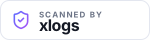
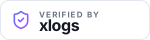


Each follows the visitor's system theme, so there is one snippet rather than a light one and a dark one.
Why add it
- Boost conversions
Anyone about to enter an email address or a card number is deciding whether to trust you. A badge answers that at the moment it matters.
- Build trust with visitors and clients
Most visitors have never heard of your app. The badge links to a dated record of what was checked, so they get something to look at instead of guessing, and you get something to point at when a client asks how you handled security.
- Look like a finished product
Much of what separates a weekend build from a real product is the signals around it. A security badge in the footer reads the way a status badge reads on a repository: someone is paying attention to this.
- It is checkable, which most badges are not
A trust sticker is a picture. This one links to a page listing the checks that ran and when, and it only appears after xlogs fetched your domain and confirmed you control it.
How it works
- Scan your site. Free, read-only, no signup. If nothing urgent comes back, the badge is offered on the results.
- Add the badge. Copy the HTML, the React snippet, or the Markdown for a README. Or copy the AI prompt and hand it to Claude Code, Cursor, Lovable or Bolt, which is the version most people use.
- Verify it. We fetch your domain and look for the badge. Finding it is how we know you control the site, so there is no account to make.
What it claims, and what it does not
It says
- xlogs ran a read-only scan of what this site publicly exposes
- on the date shown, using the published checks
- and whoever controls the domain published the badge
It does not say
- that the application is secure
- what the scan found, or did not find
- that anything was audited, certified or penetration tested
The scanner observes what a deployment exposes and never attempts to exploit anything, so there are whole classes of issue it does not test for. That boundary is written on every check we run and repeated on every verification page.
Questions
Does the badge show what the scan found?
No, and it cannot. The badge image is the same file for every site, served from a URL that has no domain in it, so there is nothing about your site for it to display. An earlier version did report scan results, and we removed it: a badge that shows findings publishes your security state to your own visitors, and changes without you seeing it.
What does the badge actually claim?
That xlogs ran a read-only scan of the publicly reachable parts of your site on the date shown, and that whoever controls the domain published the badge. It is not a certificate, an audit, or a statement that the application is secure. The page it links to says exactly this.
How does xlogs know I own the site?
The badge is the proof. When you press verify, we fetch your domain and look for a link to your verification page on it. Only someone who can edit the site can put it there, which is why the programme needs no account and no DNS record. It is also why nobody can publish a page about a domain they do not control.
What is the difference between Scanned and Verified?
You install the Scanned badge, because at that point a scan is all that has happened. Once we fetch your site and find the badge, we have confirmed control of the domain as well, and you can swap in the Verified badge. Verified means both things are true.
Do I have to link back to xlogs to use it?
The badge links to your own verification page on xlogs.com, because that is where the claim can be checked. That link is the feature, not a fee. We do not require a followed link, we do not add rel="nofollow" for you, and nothing in the terms conditions the badge on how you mark up the link.
Does it expire?
Yes, in two ways. A scan older than 30 days expires, and the verification page says so rather than continuing to read as current. And if you remove the badge from your site, the page notices on its next check and stops asserting the verification. Rescan and verify again to refresh it. A badge with no expiry silently becomes a claim about last year.
Is it free?
Yes, with no account. Scanning is free and uncapped, and so is the badge.
xlogs.com has been online since 2000. See the sites carrying the badge.
Scan your app to get the badge
Free, read-only, no signup.